1
/
of
8
Vicfluxion
USB C to HDMI & DisplayPort Adapter, Laptop Dual 4K@60Hz Monitors Adapter
USB C to HDMI & DisplayPort Adapter, Laptop Dual 4K@60Hz Monitors Adapter
Regular price
$39.98 USD
Regular price
Sale price
$39.98 USD
Shipping calculated at checkout.
Quantity
Couldn't load pickup availability
About This
- Dual 4K@60Hz HDMI & DisplayPort Experience: Create a flexible multi-monitor workspace with HDMI and DisplayPort outputs, each supporting up to 4K@60Hz resolution. Connect an HDMI monitor and a DisplayPort monitor for coding, spreadsheets, content creation, design, video meetings, and multitasking. macOS supports mirror mode only.
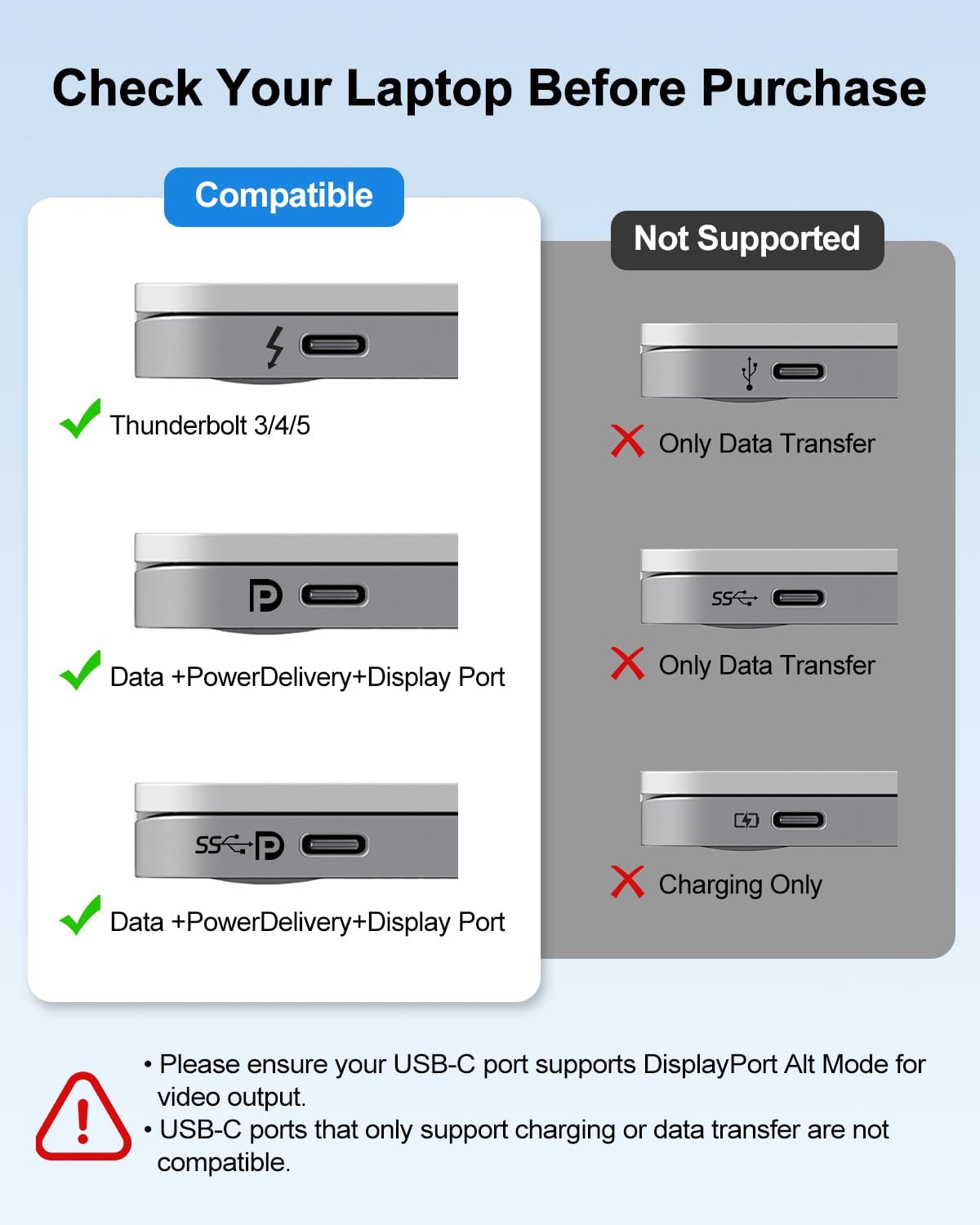
- Plug & Play with Flexible Compatibility: No drivers required. Works with USB-C laptops, USB4, and Thunderbolt 3/4/5 devices with DP Alt Mode, supporting mixed HDMI and DisplayPort monitor setups. Compatible with MacBook Pro, MacBook Air, Dell XPS, Lenovo ThinkPad, HP Spectre, Surface, and more.
- USB-C PD Charging & 5Gbps Data Transfer: Charge your laptop while connecting your devices. The PD port supports up to 100W input and provides up to 90W charging to your host device, while USB 3.0 delivers 5Gbps data speeds for fast file transfers and everyday peripherals.
- Reliable Performance with Advanced Chipset: Powered by LT8712SX chipset, this USB-C dock delivers stable HDMI and DisplayPort video transmission with reduced flickering and interruptions. The reliable dual-display design ensures smooth performance for work, meetings, presentations, and daily multi-screen applications.
- If you have any questions about compatibility or are not completely satisfied with your purchase, please don't hesitate to reach out to us.
Overview
- Brand : Vicfluxion
- Color : Grey 03-HDMI+DP
- Hardware Interface : USB 3.0
- Special Feature : Fast Data Transfer, Pass Through Charge, Plug and Play, Portable
- Compatible Devices : Keyboards, Laptops, Monitors, Mouse, USB Flash Drives
- Why is my wireless mouse/keyboard lagging when connected to the dock?
- USB 3.0 signals may interfere with 2.4GHz wireless receivers. Try these steps: 1) Plug the receiver directly into your laptop; 2) Use a USB extension cable to move it away from the dock; 3) Use Bluetooth or a 5GHz receiver if supported.
- Can I use the USB-C PD port to charge other devices or transfer data?
- No. This port is for power input only, it's designed to connect charger to power the docking station and, through the upstream USB-C cable, to charge your laptop. It does not output power to charge other devices, nor does it support data transfer.
- Why is my laptop charging slowly through the PD port?
- Charging speed depends on the weakest link in this chain: Charger Wattage → Cable Capability → Laptop's Power Policy → Current Usage. A 100W charger with a 60W cable = 60W max. Heavy tasks may drain battery even when "charging." For best results: Use your laptop's original charger and a certified 5A USB-C cable.
- What if the dock suddenly stops working?
- Try this "cold restart": 1. Disconnect all cables from the dock; 2. Wait 5 minutes for reset; 3. Restart your computer; 4. Reconnect everything after boot-up. These resolve most temporary issues.
- Do I need drivers?
- No drivers required. Plug and play with Windows 10/11 and macOS. Connect to a USB-C port with DisplayPort Alt Mode (DP Alt Mode). Keep your OS and graphics drivers updated. If the USB-C port lacks video output, HDMI will not display an image.
- Why does the dock get hot?
- External screen keeps turning off. Fix?
- Usually power management settings
- Windows: Settings System > Power & sleep > Set "Turn off screen" to "Never" (when plugged in)macOS: System Settings > Battery > Power Adapter Set display off to "Never''
- Slow or unstable data transfers?
- Insufficient power (connect PD charger for HDDs)
- Device speed limits (HDDs max out at 100-250MB/s)
- File types (many small files)
Share