1
/
of
8
Modernsolid
Modernsolid Dual Monitor Arm Desk Mount for Two 17-32 Inch Screens
Modernsolid Dual Monitor Arm Desk Mount for Two 17-32 Inch Screens
Regular price
$349.65 USD
Regular price
Sale price
$349.65 USD
Shipping calculated at checkout.
Quantity
Couldn't load pickup availability
About This
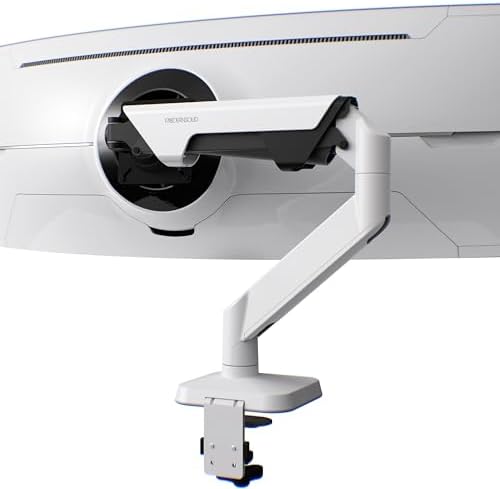
- Dual Monitor Arm with Crossbar Design: Supports two 17–32 inch flat or curved monitors, up to 16.5 lbs per monitor and 33 lbs total. The stable crossbar keeps both screens balanced on a single arm.
- Effortless Adjustment with Handle Grip: Integrated handle makes it easy to slide and reposition both monitors together, providing smooth motion and ergonomic viewing angles
- Full Motion & Ergonomic Setup: Offers tilt, swivel, and rotation flexibility with quick-release VESA 75×75mm & 100×100mm. Ideal for multitasking, trading, programming, or design workflows
- Award-Winning Build Quality: Recognized with the Red Dot Design Award, crafted from industrial-grade aluminum, tested 10,000+ motion cycles. Engineered in Taiwan for lasting durability and trusted performance
Overview
- Mounting Type : Tabletop Mount
- Movement Type : Articulating
- Brand : Modernsolid
- Material : Aluminum
- Color : Black
- Compatible Devices : Monitor
- Maximum Tilt Angle : 55 degrees
- Item Highlight : 33 lb Total Capacity,Gas Spring Arms,Crossbar Handle,VESA 75x75/100x100,Cable Management,Matte Black
- Number of Items : 1
- Are my monitors compatible with the GA dual monitor arm?
- Please check
- Total combined weight (without stands) : 14–33 lbs
- **Curved monitors: Allow an extra 6.6–11 lbs capacity per monitor
- Size: 17–32"
- Why don’t my two monitors line up perfectly?
- Screen alignment may vary with monitor size, thickness, and VESA position. Since both monitors share one crossbar, they do not adjust vertically independently. Use each VESA head for fine tilt and leveling adjustments.
- Why does my monitor sag or rise after installation?
- The gas spring tension must be adjusted to match your monitor’s weight. After mounting the monitor, turn the tension adjustment toward “+” for heavier monitors or “–” for lighter monitors until the screen stays in position.
- Will the C-clamp fit my desk?
- The C-clamp fits desks 2–67 mm (0.08–2.64 in) thick. Make sure the mounting area is flat and clear underneath, and leave at least 1 cm (0.4 in) between the desk and wall. Avoid support beams, cable trays, or raised edges.
- Award-Winning Design, Trusted Performance
- Are my monitors compatible with the GA dual monitor arm? Please check: Total combined weight (without stands) : 14–33 lbs **Curved monitors: Allow an extra 6.6–11 lbs capacity per monitor Size: 17–32"
- Why don’t my two monitors line up perfectly? Screen alignment may vary with monitor size, thickness, and VESA position. Since both monitors share one crossbar, they do not adjust vertically independently. Use each VESA head for fine tilt and leveling adjustments.
Share