1
/
of
8
YOTON
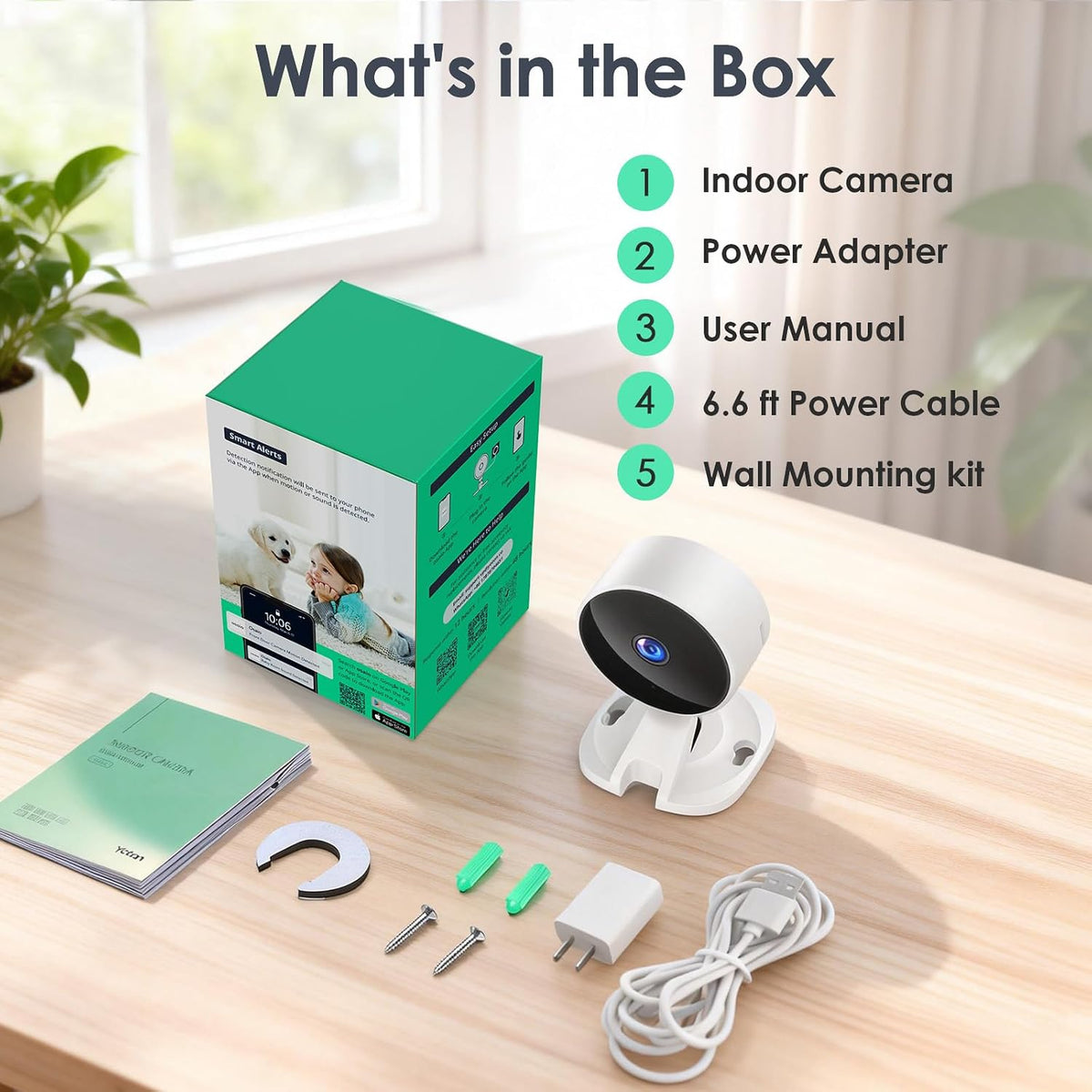
YOTON Indoor Security Camera for Baby Monitor, Home & Pets, 2.4GHz Wi-Fi
YOTON Indoor Security Camera for Baby Monitor, Home & Pets, 2.4GHz Wi-Fi
Regular price
$48.59 USD
Regular price
Sale price
$48.59 USD
Shipping calculated at checkout.
Quantity
Couldn't load pickup availability
About This
- Easy Setup & Baby CareSimply plug in the power, download the Osaio app, and connect to a 2.4GHz Wi-Fi network. You can set up the indoor camera in any room you need—like the living room, entryway, nursery, pet room, kitchen, or office
- 24/7 Monitoring & Privacy ModeThe 1080p HD camera features IR Night Vision with a range of up to 33 feet. The IR LED lights can be turned off manually to avoid disturbing your baby or dog’s sleep. Want extra privacy? Just tap in the app to turn the camera off completely
- Two-Way Talk & Real-Time InteractionUse the phone app to speak and interact with your little ones or pets—whether it’s soothing a crying baby or stopping your dog from chewing the couch
- Motion Detection & Sound AlertsWhen motion is detected, the WS01 indoor camera sends instant notifications to your app, so you can check in anytime. You can also enable AI recognition to receive alerts only when a person, pet, package, or vehicle is spotted
- Two Storage Options & Family SharingPick the storage that fits your needs: save recordings locally to a TF card (supports up to 128GB, sold separately) or use cloud storage (includes a 14-day free trial). Share access with up to 3 family members and view the camera together at the same time
- Adjust Sound DetectionSound detection helps alert you to important sounds at home, such as a baby crying or a pet making noise. Everyday sounds like TV, conversations, music, or household activity may also be detected. For a more comfortable experience, adjust sound detection in the app to suit your home environment(Settings → Sound Detection → Set Sensitivity to “Low”)
Overview
- Recommended Uses For Product : Baby Monitoring, Dog Camera, Indoor Security, Pet Monitoring
- Brand : YOTON
- Model Name : WS01
- Connectivity Technology : Wired
- Special Feature : 2-Way Audio, Motion Sensor, Night Vision, Portable
- Unable to connect the camera to Wi-Fi during setup?
- 1. Turn on the phone's Wi-Fi &BT, then connect to a 2.4GHz Wi-Fi
- 2. Download the Osaio app to connect to the WS01 camera
- 3. Place the camera near your router
- 4. Check if the indicator light flashes red twice per second. If not, reset the camera
- Are both storage methods freely selectable?
- Local Storage: Supports 128GB Card Storage (Not Included)
- Cloud Storage: You can enjoy a 14-day free trial of cloud storage. After 14 days, you can choose to continue your subscription or cancel it.
- How to cancel cloud subscription?
- 1. Select the camera on the Osaio app's Camera page
- 2. Tap the settings button in the top-right corner
- 3. Locate Storage and disable the cloud storage service
- How do I use it with Alexa?
- 2. Open the Alexa app, tap the"+" → select"Device" →Search "Osaio" →Go to the skill store→ENABLE TO USE
- 3. Enter your Osaio user account and password→ Tap "Link Now"→Tap "Authorize"
- How to turn off Sound Detection?
- Camera Settings page→ Detection→ Sound Detection, OFF
- Yoton 1080P Indoor Camera
Share