1
/
of
8
Amazon
UGREEN FineCam Pro 4K Webcam with 1/2" Sensor for PC/Mac | AI Noise-Canceling Mic, Gesture Control, Face AE, PDAF, for Streaming, Conference, OBS Zoom, Switch 2, Privacy Cover & Tripod
UGREEN FineCam Pro 4K Webcam with 1/2" Sensor for PC/Mac | AI Noise-Canceling Mic, Gesture Control, Face AE, PDAF, for Streaming, Conference, OBS Zoom, Switch 2, Privacy Cover & Tripod
Regular price
$202.99 USD
Regular price
Sale price
$202.99 USD
Shipping calculated at checkout.
Quantity
Couldn't load pickup availability
About This
- Flagship 4K Visual Experience: UGREEN FineCam 4K AI webcam with 1/2" Sony sensor captures sharp 4K@30FPS(backward supports 1080P@60FPS) video with accurate colors. Superior low-light performance ensures clear visuals for professional streaming even in dimly lit rooms
- Instant Focus& Face AE: Phase Detection Auto Focus (PDAF) provides immediate focusing for crisp video, while Face AE acts as an intelligent fill-light. It ensures you remain radiant when sitting in front of windows or in variable lighting
- Dual Noise-Canceling Mics: Featuring a dual-microphone array with AI noise reduction, it picks up a clear voice within a 360-degree range. Optimized for home office environments to suppress background chatter for reliable audio
- AI-Powered Auto Framing: Experience effortless video calls as FineCam automatically adjusts composition and zoom. Works stably across platforms to keep all participants in the spotlight during group discussions
- Gesture Recognition: Effortless gesture control, no need to touch devices. Stay focused on your stream without breaking flow. Use intuitive hand gestures to instantly enable AI Framing or zoom in/out, offering a seamless and touch-free camera control experience
- Privacy Care and Plug and Play: Integrated privacy cover allows you to activate privacy mode with one press. Made with high-quality materials and includes an extendable tripod for stable desktop placement and maintenance. Easy setup with no driver required for Windows 11/10/8, Mac OS, and Linux. This webcam offers a professional upgrade over built-in laptop cameras for OBS, Zoom, Teams, and Twitch
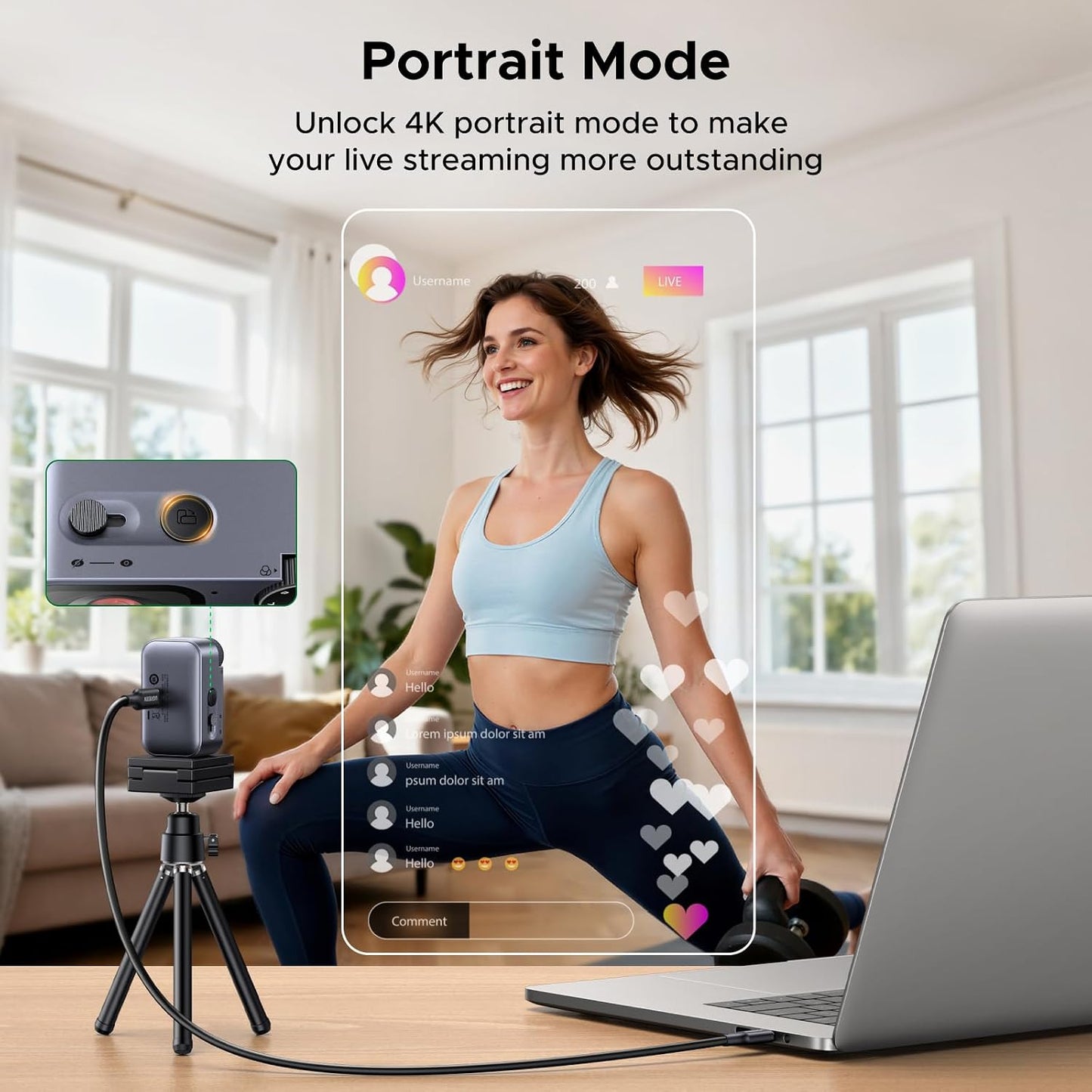
- 7 Filters & Portrait Mode: Digitally replicate classic photographic tones with 7 built-in filter modes. Support 2K 9:16 portrait mode by rotating 90 degrees, making your mobile-optimized live streams more outstanding
- Package: UGREEN AI 4K FineCam Pro x 1,USB C cable x 1,USB C to A adapter x 1, Extendable Tripod x 1, Manual x 1
Overview
- Brand : UGREEN
- Photo Sensor Technology : CMOS
- Video Capture Resolution : 4K
- Maximum Focal Length : 105
- Maximum Aperture : 1.8 f_stop
- Flash Memory Type : CompactFlash
- Video Capture Format : MP4
- Supported Audio Format : AAC
- Screen Size : 2 inches
- Connectivity Technology : USB
- Does this camera have adjustment software? How to adjust brightness, color, white balance?
- Plug-and-play, no extra driver/software needed. Adjust brightness/contrast via system settings (Windows Camera, macOS Photo Booth). For advanced control (white balance), use OBS Studio or Zoom.
- Colors look warm/yellowish. How to adjust white balance or color tone?
- Why does 4K resolution feel laggy? Any computer requirements for 4K?
- Please use the included USB cable & plug in USB 3.0 port on the computer. Requirements: i5 5th Gen or above, 8GB RAM, Windows 10 / macOS 11.
- Camera is locked in portrait mode in Windows Camera app. How to restore normal?
- Briefly press the landscape/portrait button on the device top. Wait about 10 seconds to revert to landscape mode. Re-select the camera in your app.
- Gesture control is unresponsive or triggers accidentally. What should I do?
- Ensure full face is visible, no hand covering it. Place hand 10-15cm from face on left or right side. Indicator flashes purple when gesture is recognized successfully.
- Does this camera have adjustment software? How to adjust brightness, color, white balance? Plug-and-play, no extra driver/software needed. Adjust brightness/contrast via system settings (Windows Camera, macOS Photo Booth). For advanced control (white balance), use OBS Studio or Zoom.
- Why does 4K resolution feel laggy? Any computer requirements for 4K? Please use the included USB cable & plug in USB 3.0 port on the computer. Requirements: i5 5th Gen or above, 8GB RAM, Windows 10 / macOS 11.
Share