1
/
of
8
Amazon
Acer 11 in 1 USB C HUB Multiport Adapter 10Gbps, 4K@60Hz HDMI for Laptop | USB C Docking Station with 2×USB C 3.2 & 2×USB A 3.0 Data Port, 100W PD Port, 1Gbps Ethernet, 1080P VGA, SD/TF, 0.65ft
Acer 11 in 1 USB C HUB Multiport Adapter 10Gbps, 4K@60Hz HDMI for Laptop | USB C Docking Station with 2×USB C 3.2 & 2×USB A 3.0 Data Port, 100W PD Port, 1Gbps Ethernet, 1080P VGA, SD/TF, 0.65ft
Regular price
$67.48 USD
Regular price
Sale price
$67.48 USD
Shipping calculated at checkout.
Quantity
Couldn't load pickup availability
About This
- Pre-Use NoticeWindows and macos devices with DisplayPort Alterinate Mode (DP Alt Mode)——Supporting display, charging, and data transfer. Including Acer, Dell, Lenovo, Surface, HP, ASUS, MacBook, Samsung laptops and smartphones.
- 11-in-1 Versatile USB C AdapterBoost productivity with this USB C 3.2 hub, featuring 4K@60Hz HDMI, 1080P VGA, 2x USB-C (10Gbps), 2x USB-A (5Gbps), USB 2.0, 100W PD charging, 1Gbps ethernet and SD/Micro SD slots (104Mbps). This USBC hub perfect for work from home, office or travel. Note: Please connect the power supply with the PD port with 100W charger for optimal performance.
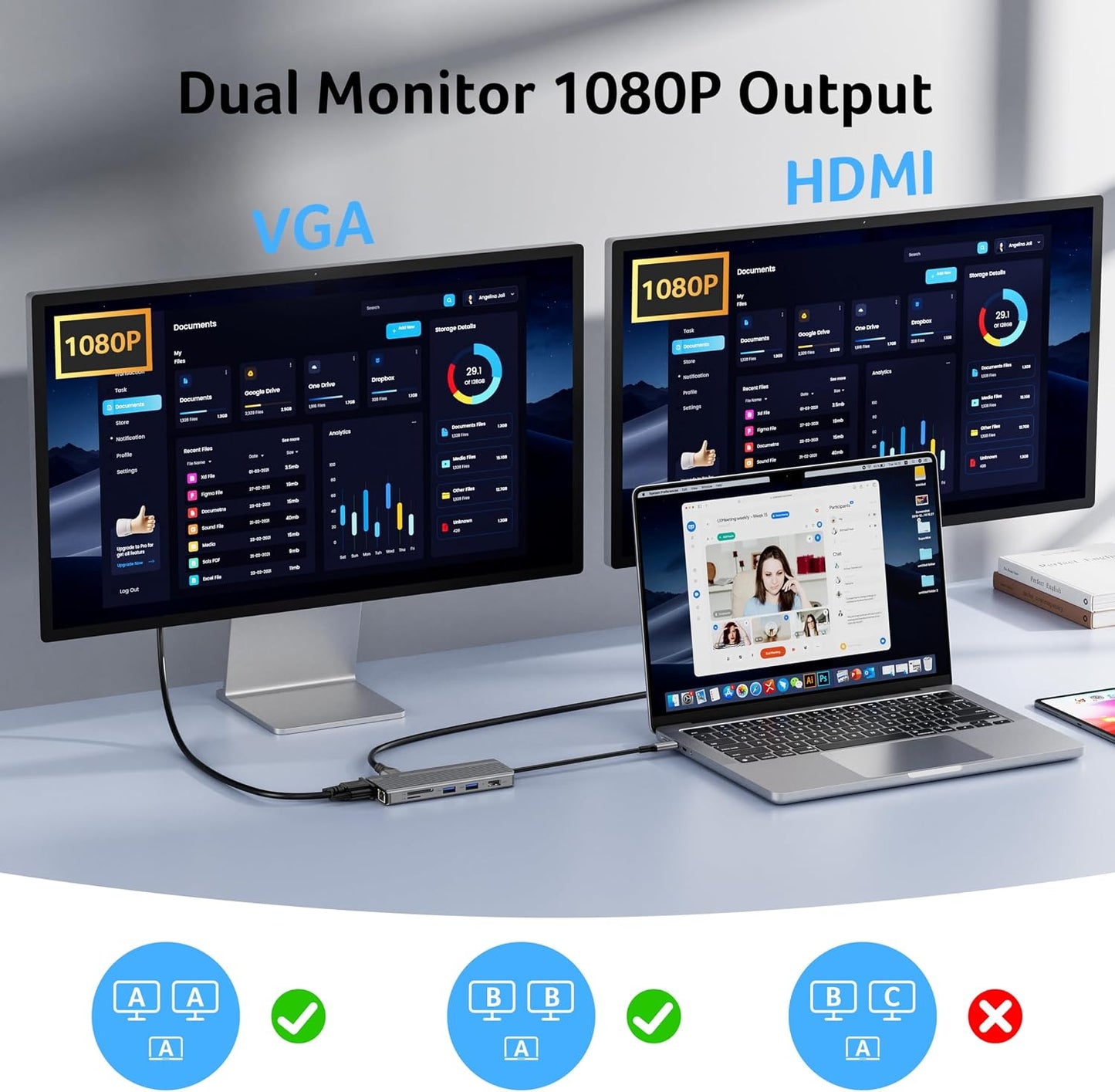
- Stunning 4K@60Hz DisplayWhen used with VGA, the USB C to HDMI adapter hub can achieve dual-screen display up to 1080P@60Hz, supporting mirror mode (A-AA) and extended mode (A-BB). It unlocks ultra-high definition 4K@60Hz quality, delivering lifelike clarity for movies, lag-free gameplay, and crystal-clear video conferences. Note: - ( ) .
- 10Gbps Seamless Speed TransfersExperience ultra-fast 10Gbps file transfers—send large data in seconds with effortless speed and reliability. Plus, USB-A 3.0 (5Gbps) and dual SD/Micro SD card readers (104Mbps)—perfect for photographers and professionals. Note: The USB ports NOT support charging/video/audio. Don't use USB-A 2.0 to transfer data.
- Ultra-Fast 100W PD PortThis chromebook docking station features a high-power 100W USB-C PD port, delivering fast charging for your MacBook Pro/Air and other USB-C devices (90W output). Note: Use a 100W charger and ONLY charge the host device.
- Fast and Stable EthernetBoost your network performance with this USB C hub ethernet, ensuring reliable 1000Mbps speeds (Backward compatibility 10/100Mbps) for seamless work, gaming, meetings, online classes, and high-definition video uploads/downloads. Ensure the RJ45 connector is plugged in securely in the port and use CAT6 or higher Ethernet cables.
- Widely CompatibleThis USB hub for laptop works seamlessly with a wide range of USB-C devices, including Macbook Neo, MacBooks (Pro, Air, M1/M2/M3), iMac, iPad Pro, iPhone 15/16, Chromebooks, Surface laptops and Works on Windows, macOS Linux, ChromeOS. Please turn on the Samsung DeX Mode on the Samsung Galaxy Tablet before you use it.
Overview
- Brand : Acer
- Color : Gray
- Hardware Interface : Ethernet, HDMI, MicroSD, USB Type C, VGA
- Special Feature : 10Gbps USB-C Data Port, 4K@60Hz HDMI NOT Dual HDMI, 1Gbps Ethernet,100W PD PortCharger Not Included See more
- Compatible Devices : Desktops, Laptops, Smartphones, Tablets
- ()Not compatible with iPhone/iPad equipped with Lightning port
- ()Not compatible with devices that don't support the protocol of DP Alt Mode.
- () Compatible with USB-C 3.1 or Thunderbolt 3/4 port interfaces that support “DisplayPort Alternate Mode” .
- New Product Display
- USB Hub--High Parameters
- USB C Multiport HUB
- Previous page
- ()Not compatible
- equipped with Lightning port
- () Compatible with USB-C 3.1 or Thunderbolt 3/4 port
- “DisplayPort Alternate Mode”
- Macbook Neo; iPhone 16 Series; MacBook Pro (Late 2016) and newer, MacBook Air (Late 2018) and newer; MacBook ( Late 2015) and newer; Mac Studio(2022), Mac Mini (Late 2018) and newer; iPad Pro 12.9“ 6/5/4/3, iPad Pro 11" 3/2/1 ; iPad Air 5/4; iPad mini 6; iPad 10c
- iPhone 15 Series; MacBook Pro (Late 2016) and newer, MacBook Air (Late 2018) and newer; MacBook ( Late 2015) and newer; Mac Studio(2022), Mac Mini (Late 2018) and newer; iPad Pro 12.9“ 6/5/4/3, iPad Pro 11" 3/2/1 ; iPad Air 5/4; iPad mini 6; iPad 10
- Galaxy S22 Ultra/S20/ S20+/ S20 Ultra/ S10e/ S10/ S10+/ Note 8/ 9/10/20 Ultra; Remember to turn on the Samsung DeX Mode on the Samsung Galaxy Tablet before you use it.
- iPhone (Lightning) , iPad (Lightning) , X Box, PS5/PS4, GoPro, Car play
- Motorola series phones; LG Stylo 4/5; Pixel phones; OnePlus 2/3/3T/5/5T/6/6T; Huawei Series; Xiaomi Series; One Plus Seriescc
- When using the HDMI port external monitor for the first time, it takes a few seconds to recognize the connection. If the monitor has multiple video ports, it may need to check each signal source one by one (which also takes a few seconds).
- For Mac: Settings → System Preferences → Sound → Output → Select your TV
- Ensure the Ethernet cable's RJ45 connector is fully inserted into the network port for normal operation, and use CAT6 or higher Ethernet cables.
Share