1
/
of
8
SFSOC
Mini Microphone for iPhone 14/13/12/11/X with Lightning Plug,Wireless Lavalier Microphone with Charging case,30H Battery Life,Noise Reduction,Clip-on Mic for Video Recording,YouTube,TikTok
Mini Microphone for iPhone 14/13/12/11/X with Lightning Plug,Wireless Lavalier Microphone with Charging case,30H Battery Life,Noise Reduction,Clip-on Mic for Video Recording,YouTube,TikTok
Regular price
$37.18 USD
Regular price
Sale price
$37.18 USD
Shipping calculated at checkout.
Quantity
Couldn't load pickup availability
About This
- BEST Products for Beginners: This mini microphone Designed for beginning video creators, its high-quality audio recording has earned the trust of video producers.
- PLUG AND PLAY : No application or bluetooth required! Plug the receiver into your device, turn on the lavalier microphone, and they pair instantly—easy enough for beginners.
- LONG BATTERY LIFE & HIHG RECORDING QUALITY : The wireless microphone with noise reduction functionality, it ensures clear audio even in noisy environments, and with the charging case, it offers over 30 hours of operating time.
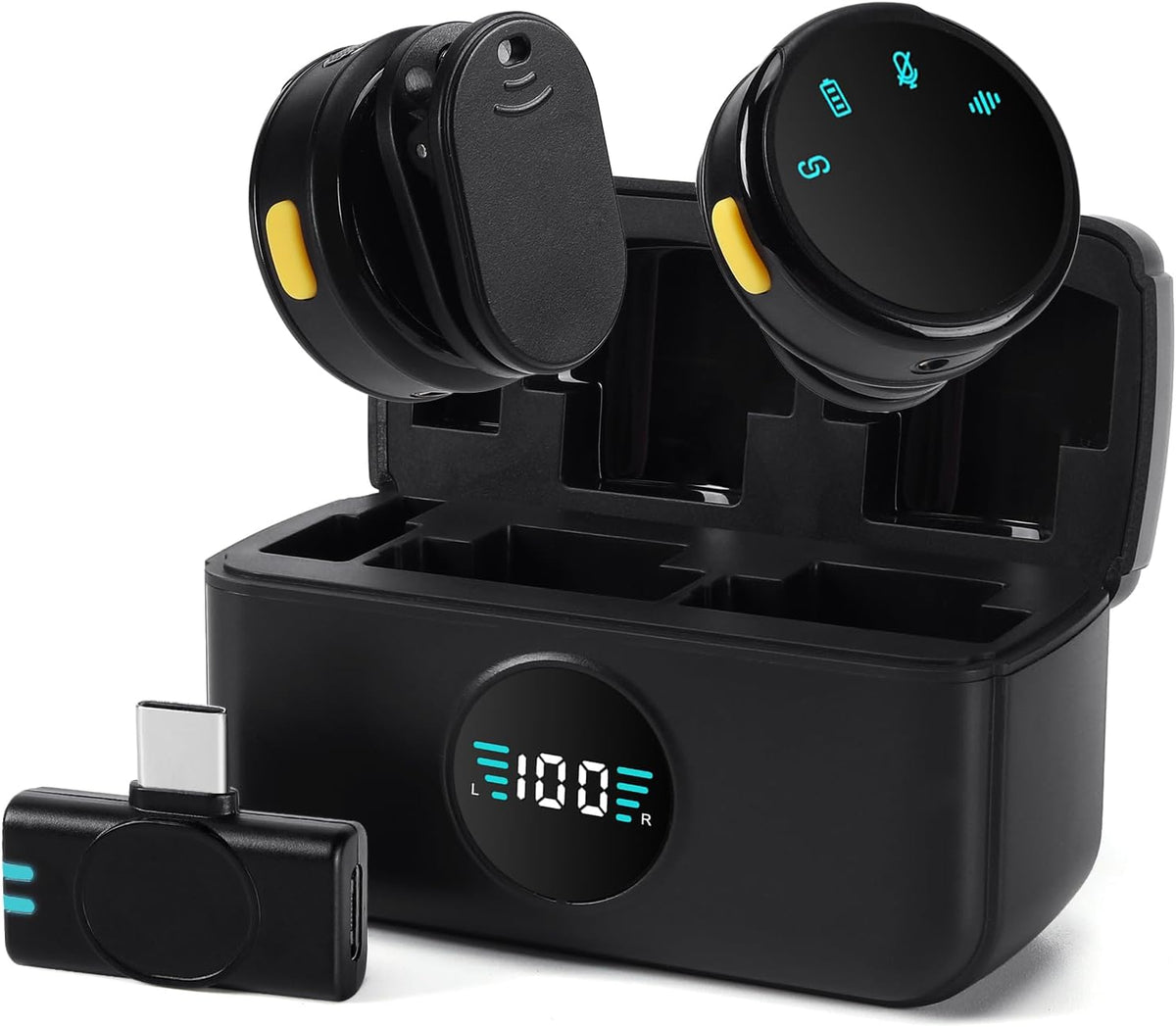
- Ultra-Lightweight Design : This microphone for iPhone weighs less than 15 grams, Featuring a coin-sized form factor. Its magnetic clip-on design allows for easy portability and immediate use (clip-on and play).
- Apple-Friendly:This microphone for video recording includes lightning adapters,A microphone for iphone 14/13/12/11/X/ipad,etc.SUPPORT AUDIO/VIDEO RECORDING ON VARIOUS SOCIAL MEDIA PLATFORMS: Youtube,Tiktok,online meeting,interview,vlogging, podcast,live streaming,
- !!!Note!!!: When recording, away from walls, buildings, and other obstacles to avoid interruptions or dropouts in the audio.
Overview
- Recommended Uses For Product : Gaming, Streaming, Video Conference
- Brand : SFSOC
- Model Name : GL-S3
- Connectivity Technology : 2.4GHz Wireless
- Connector Type : Lightning
- Special Feature : Clip, Noise Reduction
- Compatible Devices : Camera, Smartphone, Tablet
- Color : Black
- Microphone Form Factor : Lavalier
- SFSOC is a focused leader in wireless audio technology, dedicated to providing high-performance, ultra-stable, user-friendly, and reliable wireless microphone system solutions for diverse scenarios including professional performances, film/TV production, education/training, business conferences, content creation (live streaming/short videos), and more.
- If your phone or computer cannot recognize Mini Microphone
- 1. Android: Check connection stabiity (remove phone case if loose). Some brands require OTG function or USB debugging turned on;
- 2. iPhone: Check if RX receiver indicator lights up and phone screen is on.
- If audio recorded with MIC cuts in and out
- 1. Ensure there are no high-power Wi-Fi routers or wireless devices nearby causing interference;
- 2. As the 2.4 GHz spectrum is prone to interference, avoid obstacles like walls and stay away from devices operating at 2.4 GHz.
- How to enable the microphone's noise‑cancellation mode
- Make sure that TX and RX are properly connected. Briefly press the function button (the noise‑cancellation indicator light stays on steadily rather than flashing) to turn on noise‑cancellation mode.
- If echo occurs during use
- Check whether the noise‑cancellation indicator light is flashing. If so, briefly press the function button to make it stay on steadily.
- About SFSOC SFSOC is a focused leader in wireless audio technology, dedicated to providing high-performance, ultra-stable, user-friendly, and reliable wireless microphone system solutions for diverse scenarios including professional performances, film/TV production, education/training, business conferences, content creation (live streaming/short videos), and more.
- If your phone or computer cannot recognize Mini Microphone : 1. Android: Check connection stabiity (remove phone case if loose). Some brands require OTG function or USB debugging turned on; 2. iPhone: Check if RX receiver indicator lights up and phone screen is on.
- If audio recorded with MIC cuts in and out: 1. Ensure there are no high-power Wi-Fi routers or wireless devices nearby causing interference; 2. As the 2.4 GHz spectrum is prone to interference, avoid obstacles like walls and stay away from devices operating at 2.4 GHz.
Share