1
/
of
8
Avantree
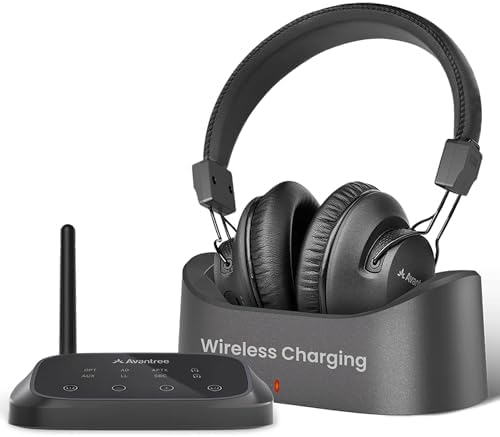
Avantree HT5009 Plus -Wireless TV Headphones with aptX-Adaptive Transmitter
Avantree HT5009 Plus -Wireless TV Headphones with aptX-Adaptive Transmitter
Regular price
$202.99 USD
Regular price
Sale price
$202.99 USD
Shipping calculated at checkout.
Quantity
Couldn't load pickup availability
About This
- For Personal TV Watching Wireless TV headphones for watching television at your own volume without disturbing others, ideal for shared spaces, seniors, and users who want clearer TV sound.
- Check TV Compatibility Before Buying Works with TVs that provide Optical (Digital Audio Out) or 3.5mm AUX output. Not compatible with TVs that only use HDMI ARC. Checking your TV’s audio output before purchase.
- Clear Voice For Better Clarity When used with the included transmitter, Clear Voice mode enhances dialogue clarity, making speech easier to follow when watching shows, news, and movies.
- Comfortable Wireless Headphones With Dock Comfortable over-ear headphones designed for long TV watching sessions, offering up to 60H battery life and a convenient charging dock for everyday use.
- NOT FOR Hearing Aid Level Volume Not for users expecting hearing aid–level amplification or medical hearing support; this product is a TV headphone system designed to improve TV sound clarity, not a hearing aid.
Overview
- Brand : Avantree
- Color : Black
- Ear Placement : Over Ear
- Form Factor : Over Ear
- Impedance : 32 ohm
- Plug Optical cable into TV’s Optical Out & transmitter’s OPTICAL. Note: make sure connect the audio cable to the port labeled "TX Input from TV."
- Plug USB-C cable into transmitter and TV.
- Go to: Settings > Sound > Sound Output, select Optical. Set audio format to PCM to avoid no sound.
- Slide power switch to ON. Wait 5s. Both LEDs turn solid when connected. If not solid, press pairing button on transmitter.
- Ensure the transmitter's power switch is in the " OFF " position.
- Using your TV remote, go to
- Settings → Sound → Sound Output . Select Bluetooth Speaker List .
- Slide & hold the power switch in the " PAIR " position for 3 seconds until the LED flashes red and blue.
- Select 'Avantree AS19' from your TV Bluetooth speaker list.
Share