1
/
of
8
Amazon Renewed
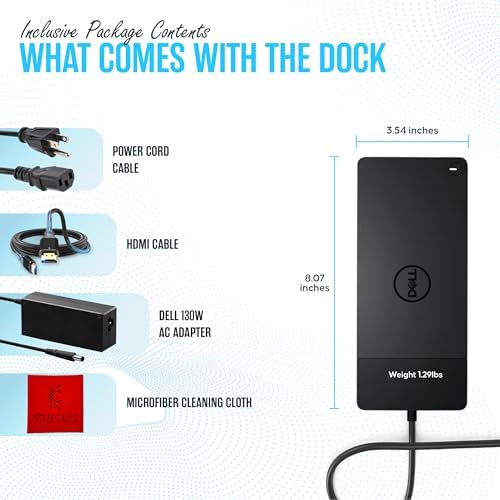
WD19 Dell Docking Station - Dual Monitor USB-C Dock with 130W & HDMI Cable | VGA & Mini DisplayPort Support, RJ45 Ethernet, Multiple USB 3.0/2.0 Ports, Audio Connectivity & One-Cable Workstation Setup
WD19 Dell Docking Station - Dual Monitor USB-C Dock with 130W & HDMI Cable | VGA & Mini DisplayPort Support, RJ45 Ethernet, Multiple USB 3.0/2.0 Ports, Audio Connectivity & One-Cable Workstation Setup
Regular price
$195.74 USD
Regular price
Sale price
$195.74 USD
Shipping calculated at checkout.
Quantity
Couldn't load pickup availability
About This
- [One Device To Connect Them All] - Link all of your peripherals, screens, and devices using only this Dell WD19 dock. It works with laptops that support DisplayPort over USB-C or Thunderbolt 3
- [Maximize Connectivity] - Take productivity to the next level. This USB-C docking station has VGA, HDMI, and mini-DisplayPort video ports alongside an RJ-45 ethernet, headphone-mic combo, 2 USB 2.0 and 3 USB 3.0 ports.
- [Wide Compatibility] - This USB-C Dell hub dock is compatible with select devices from the Inspiron, Venue, Precision, XPS, and Latitude series. Please confirm compatibility before purchase.
Overview
- Brand : Koncept
- Color : Black
- Hardware Interface : HDMI, USB
- Compatible Devices : Laptops
- Total USB Ports : 4
- Number of Ports : 5
- Total HDMI Ports : 1
- Wattage : 130
- Number of Items : 1
- Number of Packs : 1
- WD19 Dell Dock Station
- WD19S Dell DockingStation
- Dell WD19TBS Thunderbolt
- Dell Pro Smart Dock SD25
- SD25TB4 Dell Thunderbolt
- WD25 Dell Pro Dock
- Dell WD19S Docking
- Why is the dock fan not working right after connecting it to the system?
- The fan is triggered by temperature. The dock fan will not rotate until the dock is hot enough to trigger a thermal threshold. Vice versa, if your dock is not cool enough, the fan will not stop even when you disconnect the dock from the system.
- What should I do if the dock stops working after making a high-speed fan noise?
- A loud fan noise warns you that the dock is in a hot condition (e.g., blocked vents or working in environment >35°C), causing it to shut down via over-temperature protection.
- Why do I hear a fan noise immediately when plugging in the dock's AC adapter?
- This is a normal condition. First-time plugging in of the dock's AC adapter will trigger the fan to rotate, but it will subsequently turn off very soon.
Share