1
/
of
8
Amazon Basics
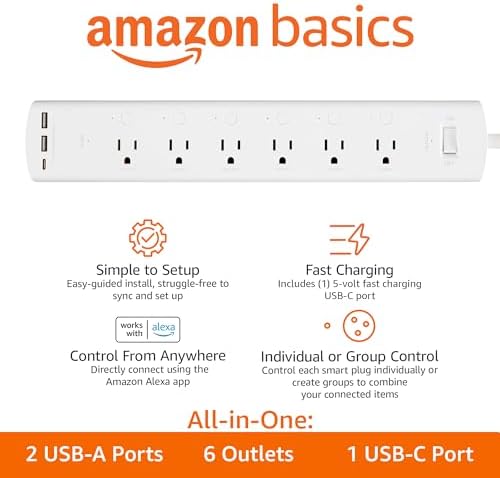
Amazon Basics Smart Plug Power Strip with 6 Individually Controlled Outlets and 3 USB Ports (2 USB-A and 1 USB-C), WiFi, Works with Alexa Only, 2.4 GHz, No Hub Required, White
Amazon Basics Smart Plug Power Strip with 6 Individually Controlled Outlets and 3 USB Ports (2 USB-A and 1 USB-C), WiFi, Works with Alexa Only, 2.4 GHz, No Hub Required, White
Regular price
$59.98 USD
Regular price
Sale price
$59.98 USD
Shipping calculated at checkout.
Quantity
Couldn't load pickup availability
About This
- EASY SETUP: Start usage in minutes by plugging in the smart extension cord and connecting via the Alexa app
- CONTROL ANYTIME, ANYWHERE: Manage your electronics from afar with the power strip with USB features; schedule appliances to turn on/off automatically or remotely to fit your lifestyle
- VERSATILE CONTROL OPTIONS: Use the multi outlet extension cord to control 6 outlets independently or group them for unified operation
- HUB-FREE SMART FUNCTIONALITY: Seamlessly integrate with Alexa using this smart power strip WiFi, create routines and schedules with ease using the Alexa app, no need for a hub. 6 Individually Controlled Outlets and 3 USB Ports
Overview
- Color : White
- Total Power Outlets : 6
- Voltage : 120 volts
- Special Feature : Surge Protection, Usb Slot
- Plug in the power strip. Open the Alexa app, tap the Devices icon, and click the + icon to get started. No separate app or hub required.
- Use the Alexa app to create routines that make life easier, like setting a routine to automatically turn on and off power supply in your living room.
- To use your device with Alexa, just say a coordinating voice command such as “Alexa, turn on the lamp". All you need is an Alexa-enabled device.
- 1. Verify your Alexa device and Alexa app have the latest software version
- 2. Make sure your Alexa device and power strip are connected to the same network
- 3. Verify your paired device is within 30 ft of your power strip
- 4. Reset your power strip
- How do I reset my smart power strip?
- 1. Press and hold the reset button for 10 seconds
- 2. Release the reset button once you see the reset indicator blink green and red alternatively
- 3. When the indicator blinks green, reset is complete and the device is ready to set up
- How many devices can I control with the smart power strip?
- How do I group multiple devices in the Alexa app?
Share