1
/
of
8
Linkind
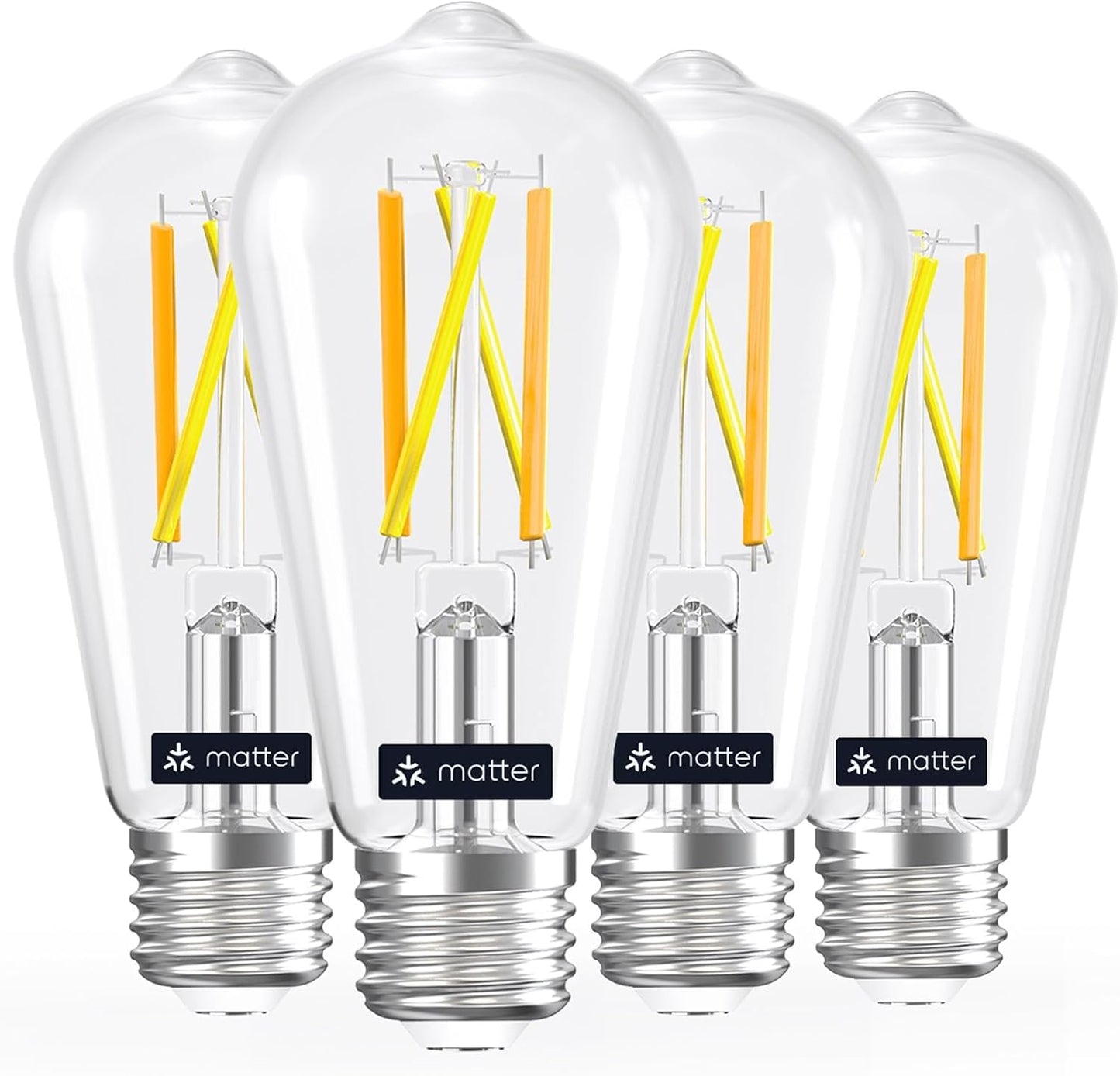
Linkind Smart Edison Light Bulb, ST19 (58) Vintage Bulb, 4 Pack with Remote | Work with Alexa/Google Home, 2700K-6500K Warm White to Daylight LED Filament Bulb, Smart Dimming, WiFi E26 Bulb 8W 60W 800LM
Linkind Smart Edison Light Bulb, ST19 (58) Vintage Bulb, 4 Pack with Remote | Work with Alexa/Google Home, 2700K-6500K Warm White to Daylight LED Filament Bulb, Smart Dimming, WiFi E26 Bulb 8W 60W 800LM
Regular price
$61.48 USD
Regular price
Sale price
$61.48 USD
Shipping calculated at checkout.
Quantity
Couldn't load pickup availability
About This
- Tunable and Dimmable White Light- POWER SOURCE REQUIRED. The wifi light bulbs support a dimming range of 1%~100% and easy to change the color temperature(2700K~6500K) form warm white to cool white. NOTE: NOT WORK WITH ANY KINDS OF DIMMERS
- APP Control/Voice Control/Remote Control- In addition to the existing APP control (AiDot APP) and voice control(work with Alexa Google Home), the edison smart bulbs also come with a remote control (paired already), you can control the light bulbs even without a 2.4G WiFi
- Vintage Edison Style Linkind filament bulb features spiral strips in clear glass, combining retro charm and premium texture. The clear glass enhances light transmittance and artistic appeal, perfect as a decorative bulb for lamps and pendant lights
- No Hub Required- No need for a hub. Simply download the AiDot APP or use the one button to control the smart light bulbs. The remote control is equipped with a magnet piece that can be attached to your refrigerator
- Time Schedule Function- Connect the smart light bulbs with AiDot APP, you can unlock more functions of these led lights. Such as Time schedule, Preset, Group Control, etc
- Energy Efficient ST19 (ST58) Edison Led Bulb- The smart E26 led edison bulbs feature a 800lm tunable white light, bright enought for daily illumination. Equivalent to 60W halogens but save over 85% on electricity bill
Overview
- Brand : Linkind
- Light Type : LED
- Special Feature : Dimmable, Energy Efficient, Tunable
- Wattage : 8 watts
- Bulb Shape Size : ST19
- *Note: Not recommend for use with dimmer switches, as it may cause lights to flicker, buzz, or hum.
- Unpair/Factory default
- Unscrew the battery covering by coin and press the reset button for 3 seconds to restore the remote control to factory default.
- Press On/key 3 times: enter the pairing mode, the indicator will blink. After the pairing is complete, it will be steady on for 3 seconds and then go off.
- Linkind Smart Light Stick
- Linkind Smart Light Bulbs
- Linkind Smart Plugs
- Linkind Smart Recessed Bulbs
- Linkind Samrt Decor Bulbs
- Linkind Samrt Fan Light
- How to connect the bulbs to AiDot APP Turn on the bulb, open AiDot APP, tap"Add Device", select "Nearby"to connect via Bluetooth. Follow the prompts to turn on location and Bluetooth permissions. After automatic detection by the app, select the detected bulb. Select home network, enter its password and wait to connect.
- Turn on the bulb, open AiDot APP, tap"Add Device", select "Nearby"to connect via Bluetooth.
- Follow the prompts to turn on location and Bluetooth permissions.
- After automatic detection by the app, select the detected bulb.
- Select home network, enter its password and wait to connect.
- Intergration with Alexa/Google Home First sign in both the AiDot APP and Alexa APP. Next tap "Me" in the AiDot APP, select "Integration". Follow the on-screen instructions to link with Alexa.
- First sign in both the AiDot APP and Alexa APP. Next tap "Me" in the AiDot APP, select "Integration".
- Follow the on-screen instructions to link with Alexa.
Share