1
/
of
8
Diamond Multimedia
Diamond Multimedia VC500 One Touch VHS to Digital Converter – Capture & Convert VHS to Digital Files or DVD, Easy-to-Use Software, Windows 11,10 & Mac Compatible
Diamond Multimedia VC500 One Touch VHS to Digital Converter – Capture & Convert VHS to Digital Files or DVD, Easy-to-Use Software, Windows 11,10 & Mac Compatible
Regular price
$59.98 USD
Regular price
Sale price
$59.98 USD
Shipping calculated at checkout.
Quantity
Couldn't load pickup availability
About This
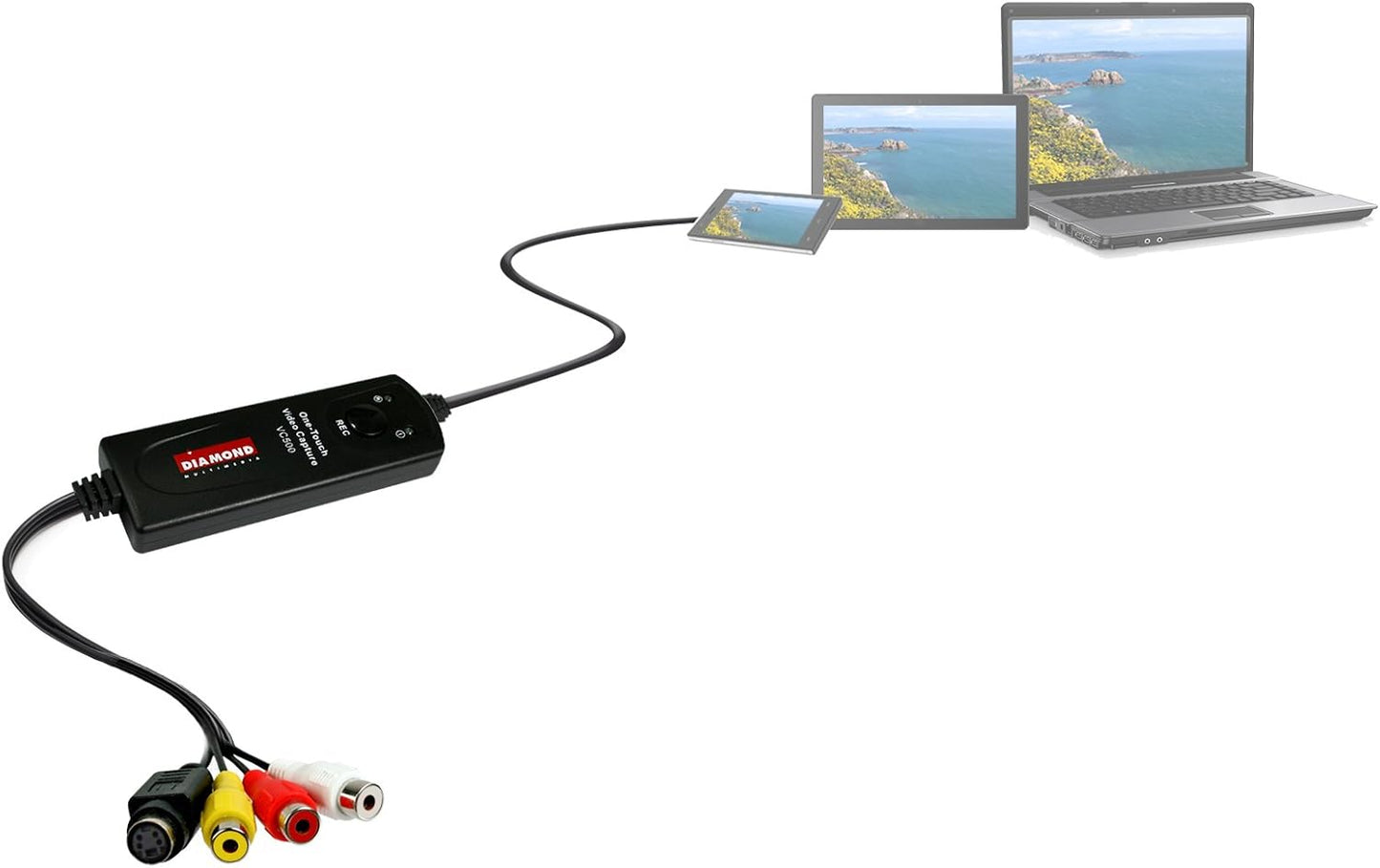
- Instantly Digitize Your Memories – Convert VHS, Hi8, and Video8 tapes to digital files on your PC. Capture video from VCRs, camcorders, and other analog devices using Composite (RCA) or S-Video inputs. Preserve priceless moments before they fade.
- Simple Plug-and-Play Setup – USB self-powered video capture device with an easy 3-step installation. Just plug into your computer, connect your video source, install the included Honestech capture software, and start converting. No external power required.
- Create and Share Digital Videos – Save your converted videos in a digital format for easy playback, archiving, and DVD authoring. Perfect for sharing family memories on YouTube, Facebook, Instagram, and other social media platforms.
- Windows and Mac Compatible – Works with both Windows & macOS systems, supporting older versions as well as the latest releases, including Windows 11 & macOS Tahoe, for flexible use on modern computers.
Overview
- Compatible Devices : Camcord, Personal Computer, Videocassette Recorder
- Specific Uses For Product : personal
- Connector Type : RCA
- Item dimensions L x W x H : 4 x 1 x 1 inches
- Preserve Your Analog Memories
- Old VHS tapes, DVDs, and camcorder footage don’t have to disappear with time.
- The VC500 Video Capture Converter lets you transfer analog video into digital files you can store, edit, and share with ease.
- Easily record and digitize video from VHS, DVD, Camcorders, and Hi8 devices with RCA outputs, then store your videos on your computer
- PC Hardware Interface: USB2.0
- Operating System: Windows 11 (and older) | Mac OS Tahoe (and older)
- Supported TV Standards: NTSC, PAL
- Video Input: One RCA composite, One S-Video
- Audio Input: Stereo audio (RCA ) mm
- Output Resolution: 720p@30HZ
- Conversion Type: RCA TO USB, S-Video TO USB
- Packaging : USB Video Converter, USB Extension Cable, User Manual
- Step 1: Plug the VC500 into your computer’s USB port. Drivers will install automatically.
- Step 2: Connect your VHS player, DVD player, or camcorder using RCA or S-Video cables.
- Step 3: Launch compatible video capture software such as Honestech or OBS Studio (Note: No CD is included. Free software download links are provided in the user manual.)
- Step 4: Start recording and convert your analog video into digital files.
- Question: No sound or audio out of sync?
- Use OBS Studio along with the audio settings provided in our step-by-step setup guide.
- Question: Black screen or connection issue?
Share